



How to close your plasbit account?
Important: Make sure you withdraw all remaining funds from your wallet and cards before closing your account. Once your account is closed, you will no longer be able to access your balance or use PlasBit services.
Follow the steps below to permanently close your PlasBit account.
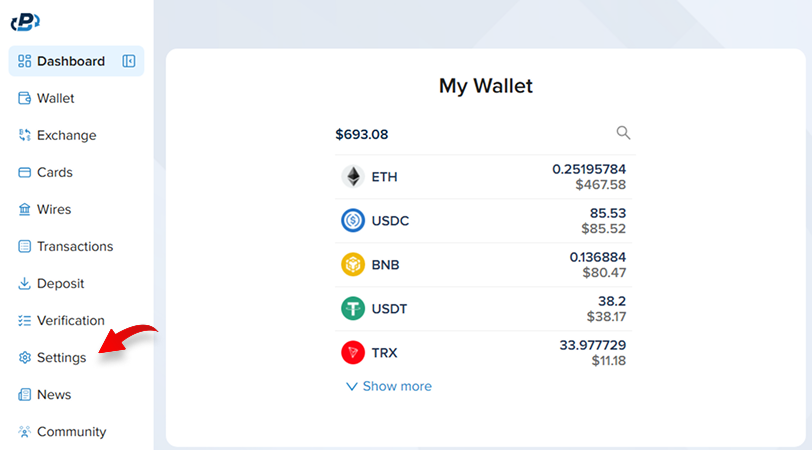
1. Open Settings
Log in to your PlasBit dashboard and select Settings from the navigation menu.
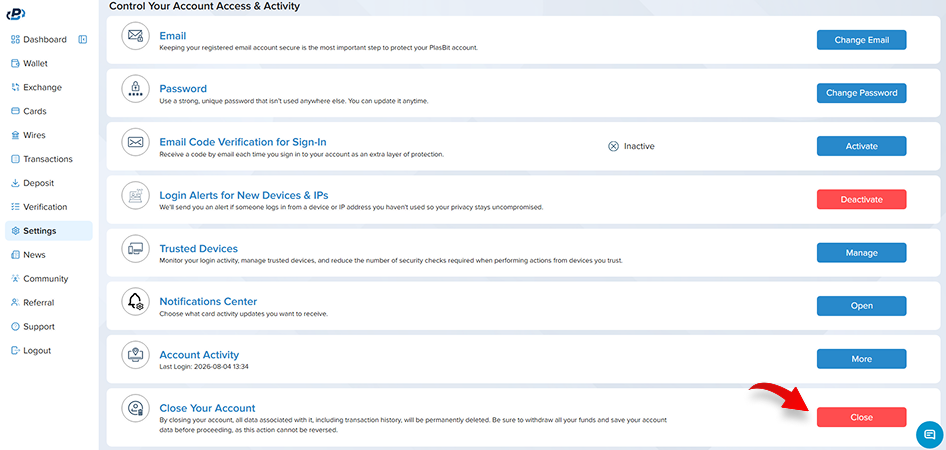
2. Select Close Account
Scroll to the bottom of the Settings page until you reach the Close Your Account section. Select Close Account to continue.
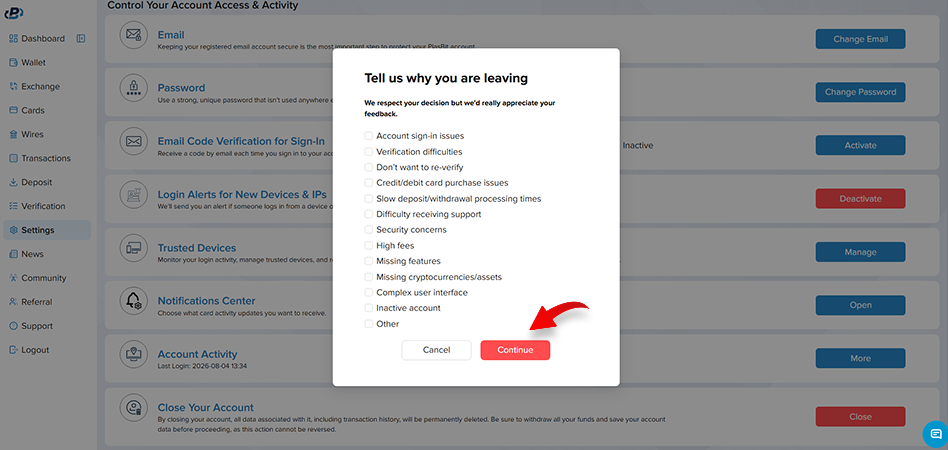
3. Choose a Reason
A pop-up will appear asking why you have decided to close your account. Select one or more reasons, then press Continue.
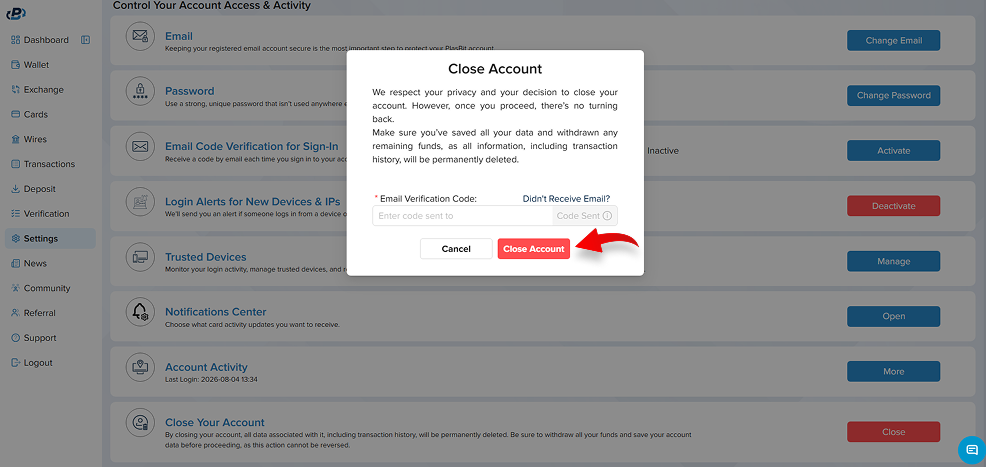
4. Confirm by Email
A verification code will automatically be sent to your registered email address. Enter the code to confirm that it is you and complete the account closure.
Once confirmed, your account will be permanently closed and you will be signed out of all devices. Certain information may still be retained where required for legal, regulatory, or security purposes.
Before You Leave…
If you are experiencing an issue that we may be able to resolve, our team would be happy to help, hear your feedback, and understand how we can improve.
Contact us through our live chat or email us at support@plasbit.com, or message us on Telegram at @PlasBit .
